When people talk about making money from social media, the conversation usually goes straight to TikTok, Instagram, or YouTube.
Pinterest rarely gets the same attention.
That is exactly what makes it interesting.
Pinterest is not just another short-form content platform. People use it to search for ideas, plan projects, discover products, save things they want to try, and make purchasing decisions. Pinterest says it now has around 600 million monthly active users globally, and its 2026 marketing materials report that 90% of users say they find products relevant to them on the platform, while 70% say they are more likely to follow through with a purchase they discovered there.
That doesn’t mean Pinterest is an automatic money machine.
It means there is a different opportunity here: create useful visual content that connects search intent with something people can actually buy.
I’ve seen this distinction cause problems for beginners. They treat Pinterest like Instagram, post random pictures for a few weeks, see little engagement, and quit. But Pinterest works much more like a visual search engine than a traditional social feed.
A useful Pin can continue bringing visitors long after you publish it.
So if you’re willing to treat Pinterest as a traffic channel rather than a popularity contest, here’s a practical way to build it.
Why Pinterest Is Interesting for Making Money
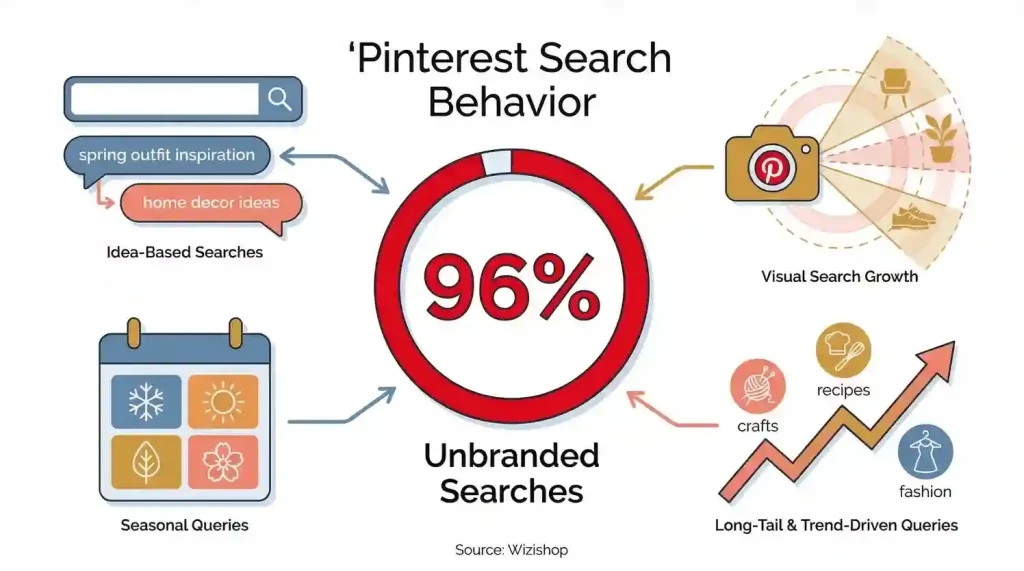
Pinterest’s own business resources emphasize shopping, product discovery, analytics, and audience insights. A free business account gives creators and businesses access to tools such as analytics and audience insights.
The platform also says its users come to search, save, and shop for ideas. In a January 2026 update, Pinterest described its audience as 600 million people coming each month to search, save, and shop for new ideas.
That creates an important difference.
Someone watching a random entertainment video may simply want to kill five minutes.
Someone searching Pinterest for:
- Small bathroom ideas
- Best home office accessories
- Easy dinner recipes
- Wedding planning checklist
- Workout equipment
- Budget travel ideas
already has a problem they are trying to solve.
Your job is to create the content that helps them solve it.
Step 1: Choose One Profitable Niche
Don’t start by creating Pins about everything you personally like.
Choose one clear niche.
Good starting categories include:
- Home decor
- Fashion
- Recipes
- Fitness
- DIY
- Travel
- Personal development
- Organization
- Beauty
- Digital products
The best niche isn’t necessarily the one with the biggest audience.
Look for a combination of:
Search demand + useful products + repeat content opportunities
For example, instead of creating a general “home” account, you could focus on:
Small Apartment Home Decor
That immediately gives you dozens of content angles.
You can create Pins about storage, furniture, lighting, organization, kitchen accessories, bedroom ideas, and affordable decorations.
Create a Business Account
If you’re serious about monetization, use a Pinterest business account.
Pinterest says business accounts are free and provide access to analytics, audience insights, advertising tools, and other business features. You can create a new business account or convert an existing personal account.
Basic setup:
Pinterest > Create business account
Then complete:
- Profile photo
- Account name
- Bio
- Website
- Relevant boards
Make the profile immediately understandable.
Someone should know what your account is about within a few seconds.
Step 2: Build a Content System
This is where most beginners make their biggest mistake.
They create one beautiful Pin, publish it, and wait.
Don’t do that.
Think in terms of a content system.
For example, if your niche is kitchen products, you could create:
Problem-based content
- 7 products that make a small kitchen easier to organize
- 5 storage ideas for tiny kitchens
- 10 affordable kitchen upgrades
Comparison content
- Small kitchen storage: $20 vs. $50 solutions
- Best countertop organizers for apartments
Transformation content
- Before and after kitchen organization
- How these 5 products changed a small kitchen
List content
- 7 useful kitchen products under $30
- 10 Amazon kitchen finds worth considering
This gives you dozens of Pins from one niche.
Step 3: Design Pins for Search, Not Just Looks
Canva is perfectly suitable for creating Pinterest graphics.
A vertical format generally works well for Pinterest content. Instead of making the graphic look like an ordinary Instagram post, design it like a visual answer to a search query.
For example:
5 Small Bathroom Products That Actually Save Space
is much more useful than:
Bathroom Inspiration
The first one tells the viewer exactly what they will get.
Your Pin should usually contain:
- A clear headline
- One strong visual
- A specific benefit
- A reason to click
- A consistent visual style
Keep your branding recognizable, but don’t let the logo take up half the image.
Step 4: Optimize Every Pin for Search
Pinterest isn’t just about publishing attractive images.
Your content needs to be discoverable.
Research the words people actually use when searching.
For example, instead of guessing that people want:
“Beautiful bathroom products”
you might discover searches around:
“small bathroom storage ideas”
That phrase gives you a much stronger content direction.
Use relevant keywords naturally in:
- Pin title
- Pin description
- Board name
- Board description
- Website article title
- Image text where appropriate
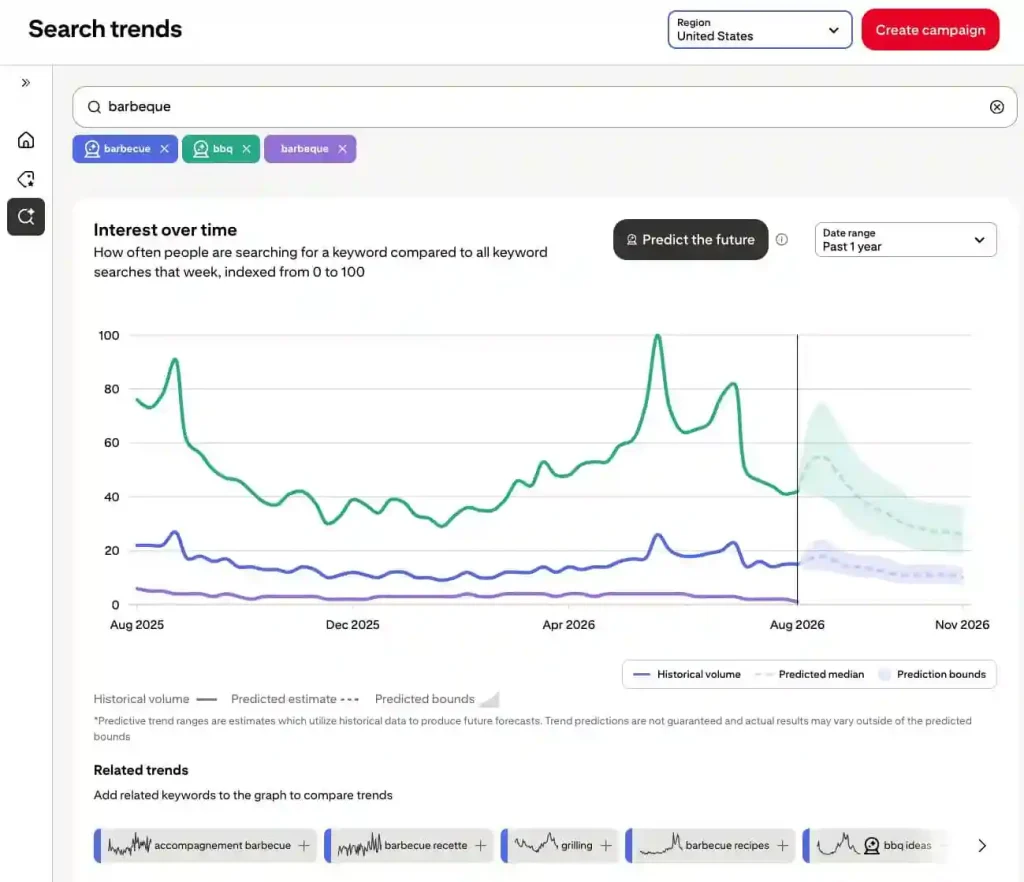
Pinterest also provides a Pinterest Trends tool that creators can use to explore what’s popular in different regions and identify relevant search terms.
Don’t stuff keywords everywhere.
Write for the person searching first.
Step 5: Publish Consistently for 90 Days
Consistency matters more than trying to make one perfect Pin.
A practical beginner target is:
1–5 quality Pins per day
rather than forcing yourself to produce 15 mediocre Pins every day.
If you have enough useful material, you can increase your publishing volume later.
The important part is creating a sustainable workflow.
For example:
Monday: Research keywords and content ideas
Tuesday: Create 10–15 graphics
Wednesday: Write titles and descriptions
Thursday: Schedule Pins
Friday: Review analytics
This is much easier to maintain than designing everything manually every morning.
And don’t judge the entire strategy after 10 or 15 days.
Pinterest is a long-term discovery platform. Some content can continue generating impressions and clicks well after publication.
Step 6: Choose How You Will Make Money
Traffic by itself isn’t the business.
You need a monetization path.
There are four practical options.
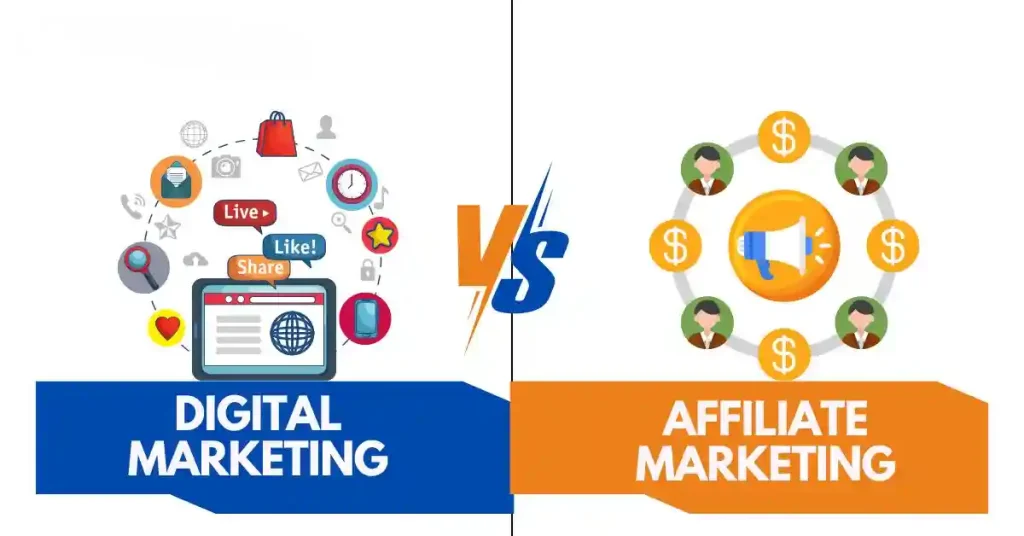
1. Affiliate Marketing
You recommend products and earn a commission when eligible purchases are made through your affiliate links.
Pinterest officially supports product tagging and says eligible creators can connect an Amazon Storefront and automatically apply affiliate links when tagging Amazon products.
However, affiliate programs have their own rules, and Pinterest’s policies also apply.
Always disclose affiliate relationships appropriately and make sure the content complies with both Pinterest and the affiliate program’s requirements.
2. Your Own Website
This is one of the strongest long-term models.
Create a useful article on your website and use Pinterest to send visitors to it.
For example:
Pin:
15 Small Kitchen Storage Ideas
↓
Blog Article:
15 Small Kitchen Storage Ideas That Actually Work
↓
Monetization:
- Display advertising
- Affiliate links
- Your own products
- Email newsletter
Pinterest itself provides measurement tools to help businesses understand traffic and conversions, including Pinterest Analytics and conversion measurement solutions.
3. Digital Products
You don’t need to manufacture physical products.
You could sell:
- Canva templates
- Printable planners
- Checklists
- Ebooks
- Meal planners
- Budget spreadsheets
- Wedding planners
- Social media templates
For example, a Pinterest account about organization could promote:
30-Day Home Organization Planner
One useful product can give dozens of Pins a clear purpose.
4. Brand Partnerships
Once you have a relevant audience and consistent traffic, brands may become interested in working with you.
Pinterest supports paid partnerships where creators can tag a sponsoring business, with paid-partnership disclosure shown on eligible content.
Don’t make this your first monetization strategy.
Build useful content and audience trust first.
Step 7: Track What Actually Works
After your first month, stop guessing.
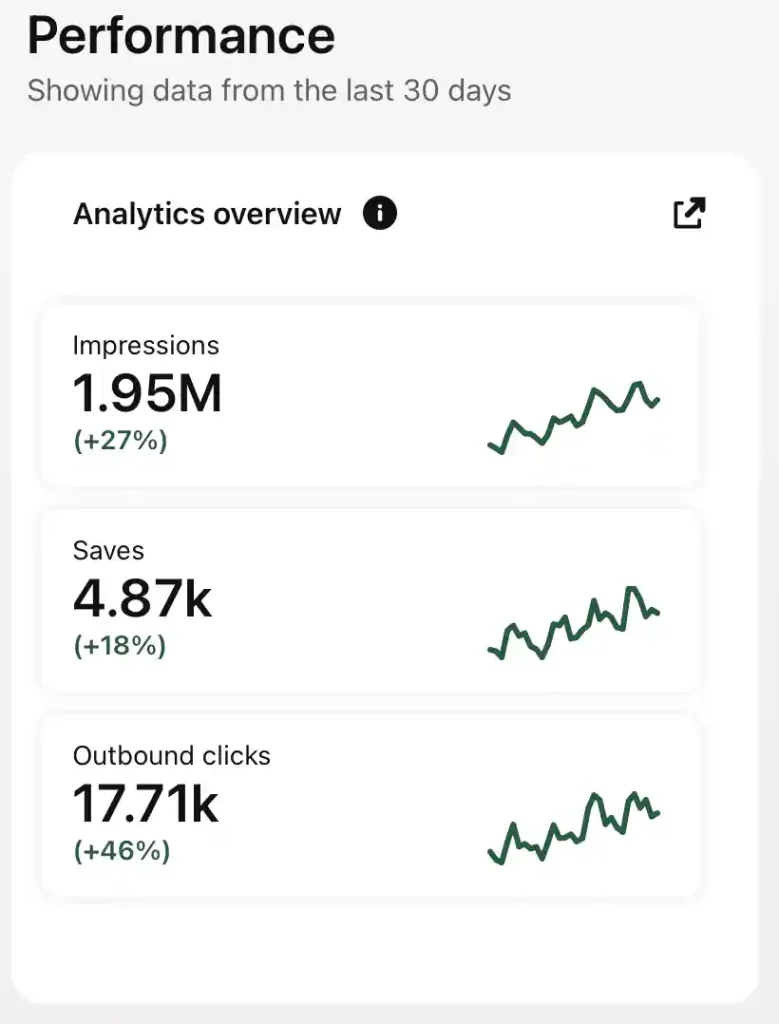
Open Pinterest Analytics and look at your best-performing content.
Pinterest provides analytics that can show individual Pin performance as well as broader audience and engagement information.
Look for:
- Impressions
- Saves
- Outbound clicks
- Engagement
- Top-performing Pins
- Topics that repeatedly perform well
Then ask:
Why did this Pin work?
Was it the topic?
The headline?
The image?
The product?
The search keyword?
The article behind it?
Create more variations based on what you learn.
Don’t simply duplicate the exact same Pin repeatedly. Take the winning idea and create a better version from a different angle.
A Realistic 3-Month Pinterest Plan
Don’t treat three months as a guarantee of income.
Treat it as a testing period.
Month 1: Build the Foundation
Focus on:
- Business account
- One niche
- Profile optimization
- 5–10 relevant boards
- Keyword research
- First 30–50 Pins
- Basic analytics
Your goal is to establish a repeatable publishing system.
Month 2: Find Winners
Now look for patterns.
Which topics get impressions?
Which Pins generate saves?
Which Pins produce outbound clicks?
Which articles or products attract the most interest?
Create more content around those subjects.
Month 3: Improve Monetization
By this point, you should have enough data to identify your strongest topics.
Double down on them.
Create more Pins around your best-performing subjects and improve the pages people land on.
For example:
Pinterest search → Pin → Website article → Affiliate product
or:
Pinterest search → Pin → Digital product page → Sale
That’s a business model.
Not simply a social media account.
Common Mistakes and Troubleshooting
“I’ve posted for two weeks and nothing happened.”
Don’t automatically assume Pinterest doesn’t work.
Two weeks is a very small sample.
Check whether people are actually seeing your Pins. If impressions are extremely low, review your niche, keywords, board structure, and content quality.
“Should I post 15 Pins every day?”
Not necessarily.
More content isn’t automatically better.
Start with a volume you can maintain without producing repetitive or low-quality material.
Five genuinely useful Pins are better than fifteen rushed ones.
“Can I make money in 30 days?”
Possibly, but don’t build your plan around that promise.
There is no guaranteed timeline for organic traffic or sales. Your results depend on the niche, content quality, monetization method, search demand, competition, and consistency.
“Should I use AI to create everything?”
AI can help with brainstorming, titles, descriptions, and content planning.
But don’t publish generic AI-generated material without editing it.
Use tools such as Canva and AI assistants to speed up production, then add your own product research, examples, opinions, and useful details.
“Can I just copy successful Pins?”
No.
Study what works, but create original content.
Pinterest’s creator resources emphasize original content and useful ideas, and its policies continue to evolve, including updated GenAI and commercial-content guidelines scheduled to take effect in November 2026.
The Real Opportunity on Pinterest
Pinterest isn’t necessarily the “easiest platform to make money” in 2026.
There is no platform where simply posting a few pictures guarantees income.
But Pinterest has a characteristic that makes it particularly interesting for small creators:
People come there looking for ideas that can turn into decisions.
They search for kitchens they want to build.
Products they want to buy.
Recipes they want to make.
Trips they want to take.
Homes they want to improve.
Projects they want to start.
That gives you a much clearer path from content → traffic → product → revenue.
Start with one niche.
Create useful visual content.
Optimize it for search.
Publish consistently for at least 90 days.
Track the results.
Then make more of what works.
A Pin you create today may not produce a sale tomorrow. But unlike a post that disappears from a fast-moving social feed, useful Pinterest content can continue being discovered long after publication.
That’s the part of Pinterest worth paying attention to in 2026.