
AI can now write a function in seconds.
Ask it to build a REST API, explain an error, generate a SQL query, or refactor a piece of code, and you may get something that looks surprisingly complete. For beginners, this creates an obvious question:
If AI can write code, why should anyone still learn programming?
The answer becomes clearer when you have worked on a real software project.
A common experience is asking AI to generate code, copying it into an application, and immediately seeing an error. Maybe the code uses an outdated library. Maybe the logic works in isolation but doesn’t match the existing database. Maybe the authentication flow is insecure. Sometimes the code runs without errors but produces the wrong result.
This is why the biggest problem in AI-assisted development is often not writing code.
It’s knowing whether the code should exist in the first place—and whether it actually solves the problem.
The programmer of the AI era is not becoming irrelevant. The role is changing.
Here are ten skills that every aspiring developer should focus on.
1. Learn to Think Before You Code
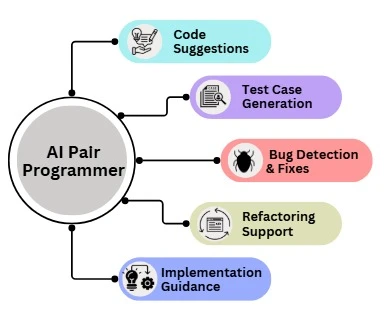
The easiest mistake when using AI is opening a chat window before understanding the problem.
Instead of immediately asking:
“Write the code for me.”
Start with a few basic questions:
- What problem am I trying to solve?
- Who will use this feature?
- What information goes in?
- What result should come out?
- What constraints exist?
- What could go wrong?
- What would the simplest solution look like?
For example, suppose you want to build a feature that allows users to upload documents.
Before writing a prompt, define the requirements:
Accepted file types: PDF and DOCX
Maximum file size: 10 MB
User authentication required
Store file metadata in database
Reject dangerous file extensions
Show a clear error message when upload fails
Now AI has something useful to work with.
Think first. Prompt second.
AI is much more effective when you give it a well-defined problem instead of asking it to guess what you mean.
2. Treat AI as a Copilot, Not Your Brain
AI can generate impressive code, but impressive-looking code is not always correct code.
It can produce:
- Incorrect logic
- Security vulnerabilities
- Inefficient solutions
- Outdated library usage
- Code that doesn’t fit your existing project
A good developer doesn’t blindly trust the first response.
Instead, use AI as a fast collaborator.
For example:
- Describe the feature.
- Ask AI for an implementation plan.
- Review the plan.
- Generate the first version.
- Run the code.
- Check the output.
- Fix problems.
- Test edge cases.
Your responsibility doesn’t disappear because AI wrote the code.
Never deploy code you don’t understand.
You don’t need to memorize every line of syntax, but you should understand the purpose of the important parts of your application.
3. Master the Programming Fundamentals
AI actually makes programming fundamentals more valuable.
Why?
Because when something goes wrong, you need a mental model for understanding the problem.
Focus on learning:
Variables and control flow
Understand how programs store information and make decisions.
Functions
Learn how to break a larger problem into smaller reusable pieces.
Data structures
Understand arrays, lists, dictionaries, objects, stacks, queues, and other common structures.
Algorithms
You don’t need to become a competitive programming expert, but you should understand why different approaches have different performance characteristics.
Databases
Learn how applications store, query, update, and protect data.
APIs
Modern software constantly communicates with other services. Understanding requests, responses, authentication, and HTTP status codes is extremely useful.
Debugging and testing
These skills become even more important when AI generates large amounts of code quickly.
You don’t need to memorize every programming language.
You need to understand how software works.
4. Learn How to Write Better Prompts
A vague request usually produces a vague result.
Consider this prompt:
Build an API.
The AI has to guess almost everything.
Now compare it with this:
Build a REST API in Python using FastAPI. It should accept user registration data, validate the input, store users in PostgreSQL, and return appropriate HTTP status codes. Keep authentication separate from business logic. Include error handling for duplicate email addresses.
The second prompt provides:
- Programming language
- Framework
- Input requirements
- Database
- Expected behavior
- Architecture constraints
The quality of AI output often improves dramatically when the requirements are clear.
A useful prompt usually includes:
Goal
↓
Context
↓
Requirements
↓
Constraints
↓
Expected output
↓
Testing requirements
You don’t need to write a perfect prompt every time. Real AI-assisted development is usually iterative.
Start with enough context, review the result, and improve the conversation.
5. Don’t Just Generate Code — Iterate
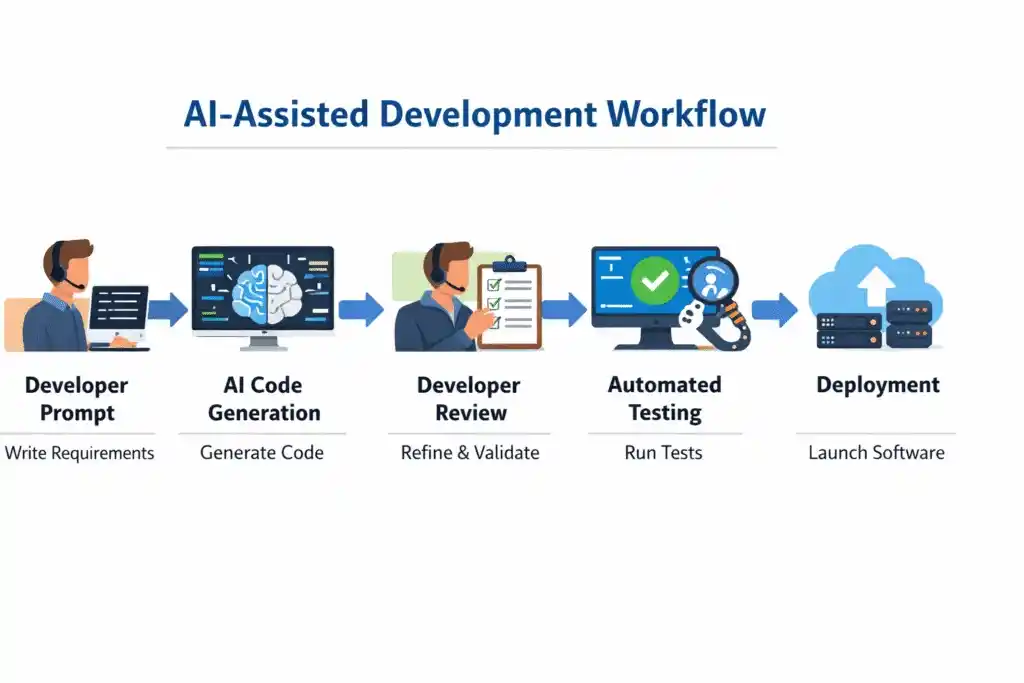
Real software development rarely works like this:
Ask AI → Copy code → Done
A better workflow looks like this:
Requirement
    ↓
Implementation plan
    ↓
Initial code
    ↓
Run the code
    ↓
Find problems
    ↓
Provide error and context
    ↓
Improve implementation
    ↓
Test again
    ↓
Review
    ↓
Deploy
This engineering loop is where AI becomes genuinely useful.
AI can speed up individual steps, but it doesn’t remove the need for the loop.
A strong developer knows when to stop generating new code and start testing what already exists.
6. Debugging Is Becoming a Superpower
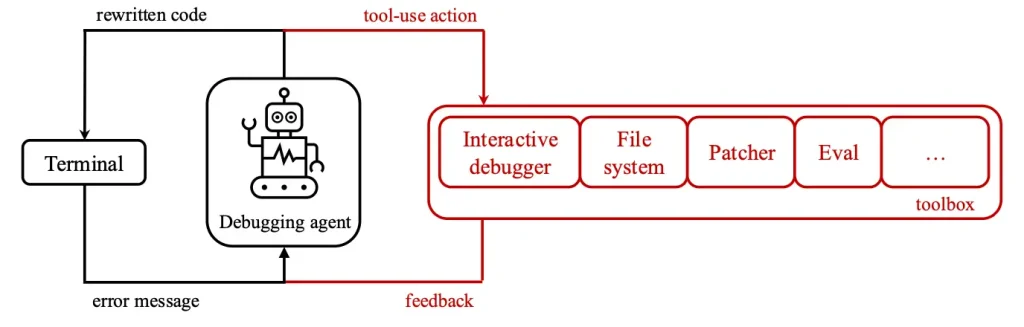
As generating code becomes easier, finding the cause of a problem becomes more valuable.
When AI-generated code fails, don’t simply write:
Fix this.
Give useful information.
Include:
- The relevant code
- The exact error message
- What you expected to happen
- What actually happened
- Your operating system
- Programming language version
- Framework or library version
For example:
Expected behavior:
The API should return the user's profile.

Actual behavior:
The request returns HTTP 500.

Error:
KeyError: 'user_id'

Environment:
Python 3.12
FastAPI 0.x
PostgreSQL
This gives AI—and you—a much better starting point.
But don’t stop after AI suggests a fix.
Ask:
- Why did the error happen?
- Which line caused it?
- Does the fix create another problem?
- Can I reproduce the bug with a test?
The ability to diagnose problems is becoming more valuable precisely because producing code is becoming cheaper.
7. Understand Software Architecture
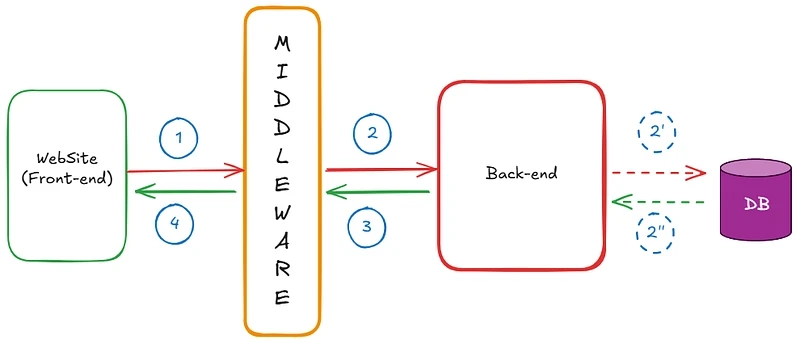
AI can generate a function.
Real applications are much bigger than functions.
A modern application may involve:
Frontend
   ↓
Backend
   ↓
API
   ↓
Authentication
   ↓
Database
   ↓
Caching
   ↓
External Services
   ↓
Monitoring
You don’t need to become a software architect on your first day of programming.
But as your projects grow, start asking architectural questions.
For example:
- Where should authentication happen?
- Should this data be cached?
- Which component owns this business logic?
- What happens if an external API fails?
- How should secrets be stored?
- Can this service handle more users?
This is where programming starts becoming software engineering.
AI can suggest an architecture, but you still need to understand the trade-offs.
8. Learn How AI Systems Actually Work
If you’re serious about AI and programming, don’t stop at prompting.
Learn the basics of:
- Machine learning
- Neural networks
- Large language models
- Tokens
- Embeddings
- Vector search
- RAG
- Tool calling
- AI agents
- Evaluation
You don’t need a PhD or research background.
But understanding these concepts helps you build better applications.
For example, if you’re building a document question-and-answer system, knowing the difference between a model’s context window and a RAG system can save you from choosing the wrong architecture.
Understanding embeddings can help you see why semantic search works differently from traditional keyword search.
Programming in the AI era increasingly means understanding both software systems and AI systems.
9. Build AI Applications Instead of Only Watching Tutorials
Tutorials are useful.
But watching fifty hours of tutorials doesn’t guarantee that you can build something.
Start small.
Try projects such as:
- An AI text summarizer
- A document question-and-answer application
- An AI chatbot
- A code explanation tool
- A semantic search application
- An AI-powered productivity tool
The first version doesn’t need to be impressive.
The goal is to encounter real problems.
When you build something, you learn things tutorials often skip:
- API authentication
- Environment variables
- Error handling
- Rate limits
- Database design
- Deployment
- Unexpected bugs
Every real project gives you experience that watching another video cannot.
10. Learn How to Verify AI
This may become one of the most important programming skills of the next decade.
AI-generated code is a proposal.
It is not a guarantee.
When AI gives you code, ask:
- Is it correct?
- Does it satisfy the requirements?
- Is it secure?
- Is it efficient enough?
- Does it handle edge cases?
- Can I explain how it works?
- What happens when something fails?
Think of AI as a very fast junior collaborator who can produce a huge amount of work.
Sometimes the result is excellent.
Sometimes it contains a subtle mistake.
Your job is to know the difference.
Testing, code review, logging, monitoring, and critical thinking don’t disappear in the AI era.
They become part of the value you bring to the project.
The New Developer Formula
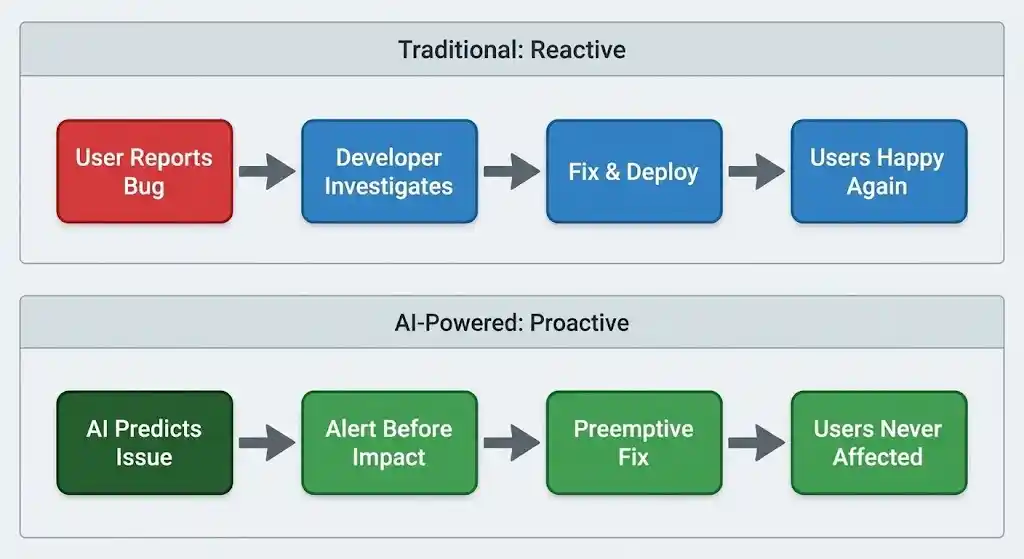
Don’t compete with AI at typing code faster.
Use AI to reduce repetitive work and accelerate implementation.
Instead, become excellent at:
- Problem-solving
- System design
- Critical thinking
- Debugging
- Testing
- Security
- AI integration
- Learning new technologies
The developer who understands only syntax may struggle when AI can generate syntax instantly.
The developer who understands problems, systems, trade-offs, and verification becomes more valuable.
A Practical Learning Path for New Developers
If you’re starting today, don’t try to learn everything at once.
A practical path could look like this:
Step 1: Learn one programming language
Python is a good starting point because you can use it for automation, web development, data work, and AI applications.
Step 2: Build small projects
Don’t wait until you feel “ready.”
Build simple tools and improve them.
Step 3: Learn debugging
Practice reading errors instead of immediately pasting them into AI.
Try to understand what the error is telling you first.
Step 4: Use AI as an assistant
Ask AI to explain code, review your approach, suggest tests, and identify possible problems.
Step 5: Learn basic software architecture
As your projects grow, start separating concerns and understanding how components communicate.
Step 6: Build something with AI
Connect a real application to an AI model or AI service.
This teaches you much more than simply learning prompt tricks.
Common Mistakes and Troubleshooting
Mistake 1: Copying code without reading it
AI-generated code can look professional even when it contains mistakes.
Read it before running it.
Mistake 2: Asking AI to build an entire application in one prompt
Large requests often produce disconnected or inconsistent code.
Break the project into smaller components.
For example:
1. Define requirements
2. Design the database
3. Create the API
4. Add authentication
5. Build the frontend
6. Add tests
Then review each part.
Mistake 3: Ignoring error messages
Don’t treat errors as something AI should magically remove.
Read the error.
Identify the file and line number.
Try to understand what happened before asking for help.
Mistake 4: Learning prompts but skipping fundamentals
Prompting is useful, but it isn’t a replacement for understanding programming.
Without fundamentals, it becomes difficult to judge whether AI is correct.
Mistake 5: Building nothing
Reading, watching, and prompting are not the same as building.
Pick one idea and create a working version.
Then improve it.
That process is where real programming skills develop.
Final Thoughts
AI can write code faster than most people.
That doesn’t make programmers unnecessary.
It changes what makes a programmer valuable.
The future developer will spend less time manually writing repetitive code and more time understanding requirements, designing systems, testing solutions, debugging failures, and verifying AI-generated work.
The goal is not to become faster than AI.
The goal is to become the person who knows what should be built, how the pieces should work together, and whether the final result is actually correct.
In the AI era, programming is no longer just about writing code.
It’s about thinking, building, testing, and making good technical decisions.