
You update a page title, rewrite an article, fix your internal links, change a canonical URL, or even move your entire website to a new domain. Then you check Google the next day.
Nothing changed.
You check again a few days later. Still nothing.
This is one of the most frustrating parts of SEO, especially when you know the website has already been improved. The problem is that Google Search does not process a website change in one step. Google has to crawl the page, process the new information, update its search systems, and eventually reflect the change in search results.
In October 2026, Google Search analyst Gary Illyes shared internal timing data during Search Central Live Deep Dive Europe in Barcelona. The figures, reported by attendees and SEO publications, provide unusually useful benchmarks for understanding how long different parts of Google’s Search pipeline can take. They are reference ranges, not guarantees, and Google has not published the complete timing tables as an official documentation page.
The basic lesson is simple:
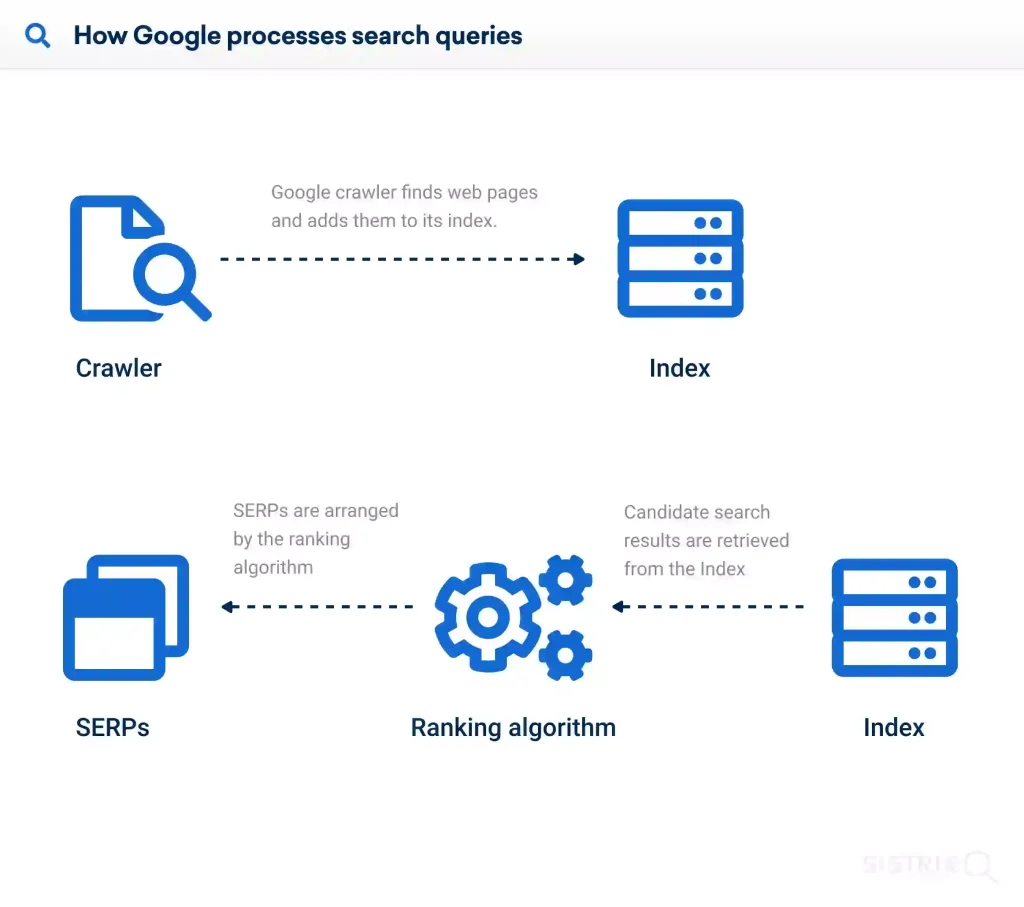
Crawling → Indexing → Search Results
A delay at the first stage can push everything behind it back.
How Google’s Search Pipeline Works

Before worrying about rankings, it helps to understand the three major stages.
1. Crawling
Googlebot has to discover or revisit the URL and download the current version of the page.
2. Indexing
Google processes the page, renders it when necessary, analyzes its content and links, and decides whether and how the page should be represented in its index.
3. Search Results
Google’s serving systems can then update titles, snippets, images, rankings, and other search-result information.
This means a change can be technically correct but still invisible in Google for some time.
Step 1: Understand How Long Google May Take to Crawl Your Changes
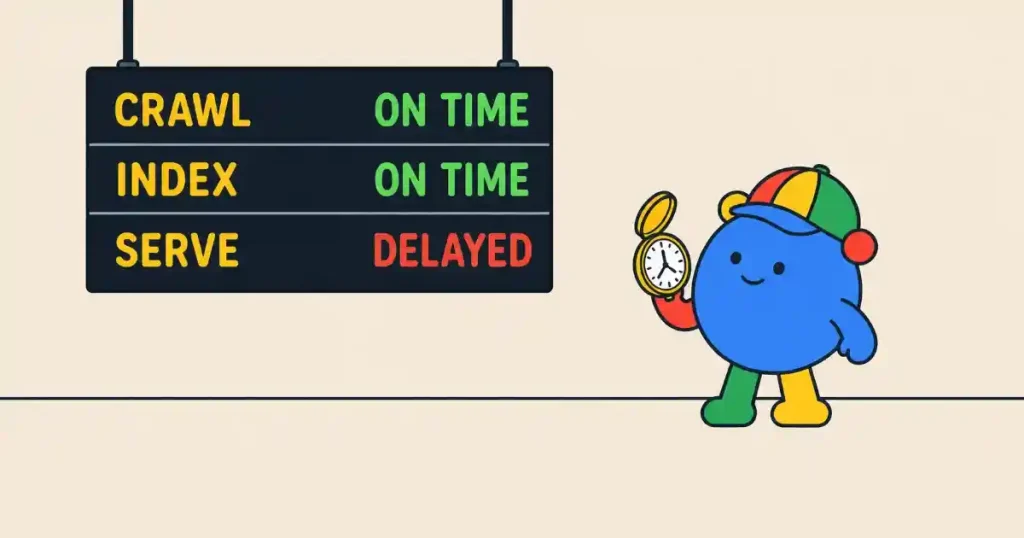
Crawling is often the first bottleneck.
According to the timing data reported from Illyes’ presentation, discovering a new URL typically takes around 20 hours. In slower cases, discovery can take weeks or may never happen.
For a URL Google already knows, the typical refresh time was reported as around 30 days. The slowest cases can again stretch to weeks or never.
That second number is especially important for existing websites.
If you completely rewrite an old article today, Google does not necessarily fetch the page again tomorrow.
Sitemap Processing
Sitemaps can help Google discover URLs and understand your site structure, but submitting a sitemap does not mean that every URL will immediately be crawled.
The reported typical processing time was about 24 hours, with slower cases taking up to around 14 days. Quality issues can also result in URLs not being processed as expected.
robots.txt Changes
Changes to robots.txt were reported at roughly 24 hours, with the slow end around 25 hours.
Crawl Capacity Can Change Quickly
There is another important point for website owners.
If your server starts struggling, Google can reduce its crawling activity very quickly. The reported timing suggests crawl capacity can be adjusted from around 4 hours to 1–2 weeks, while recovery can take roughly 1–3 weeks in slower situations.
This is one reason a cheap or overloaded server can indirectly affect SEO.
Step 2: Give Google Time to Process the Page
Getting Googlebot to download a page is not the same as getting the new version fully processed.
The reported internal timing data separates several indexing processes.
Page Rendering
The actual rendering process can take seconds, but a page may spend much longer waiting in a processing queue.
Page Information Processing
Processing page-level information was reported at roughly 45–90 minutes in typical cases, with slower cases taking 1–4 days.
Link Processing
Links can take much longer to process. The reported range goes from minutes to around 1–3 weeks, with slower cases potentially taking months.
This matters when you make a large internal-linking change.
You might publish 50 new internal links today, but Google may not immediately incorporate all of those signals into its systems.
End-to-End Indexing
The most interesting figure is the reported end-to-end indexing time: approximately 1.5 hours in typical cases once the relevant processes run successfully.
However, the slow end can reach months, and quality issues can result in a page not being indexed at all.
This does not mean every newly published page will appear in Google’s index within 90 minutes.
The important distinction is that the 1.5-hour figure describes the processing pipeline after Google is working on the page. It does not eliminate the time spent waiting for discovery or another crawl.
Step 3: Understand Why Different Website Changes Need Different Waiting Times

Not every SEO modification should be judged on the same schedule.
Changing a Title or Meta Description
Title and snippet changes were reported at approximately 1–2 days in typical cases, although slower cases can take weeks or months.
So if you change your title today, checking tomorrow can be useful.
But if Google has not recrawled the page yet, the old title may continue to appear.
Changing Canonical URLs
Canonicalization changes are much slower.
The reported typical range was around 1–3 weeks, while conflicting signals can push the process into months.
For example, you may tell Google:
<link rel="canonical" href="https://example.com/new-page/">
But if your sitemap, internal links, redirects, and other signals continue pointing toward a different URL, Google may need more time to determine which version should be treated as canonical.
Changing Structured Data
Structured-data changes were reported as taking from several hours to around two weeks in typical cases. Quality-related issues can prevent an expected update.
Step 4: Treat a Website Migration as a Months-Long Project
A domain migration is very different from changing one article.
The reported typical timeframe for a site move is around 1–3 months, with slower cases reaching 6 months to a year or more.
That does not mean every small website migration requires a year.
It means you should not plan a major migration as if Google will completely understand the new website within a few days.
Before moving a site, make sure you have:
- A complete URL mapping.
- Permanent redirects from old URLs to relevant new URLs.
- Correct canonical tags.
- Updated XML sitemaps.
- Updated internal links.
- Consistent robots.txt rules.
- Google Search Console configured for the new property.
- Monitoring for indexing and traffic changes.
Step 5: Separate Indexing From Ranking Changes
One of the biggest SEO mistakes is assuming:
“Google indexed my new page, so my ranking should change immediately.”
Not necessarily.
Indexing means Google has processed and stored information about the page. Ranking is a separate question.
A page can be indexed while its position remains unchanged.
This becomes even more important after a broad Google algorithm update.
The reported typical timeframe for core update recovery was around 3–6 months, while the slowest scenario could extend to 6 months to a year, potentially requiring the next core update. Spam-update-related changes were reported at around 1–2 weeks typically, with slower cases taking months.
The core update itself can also take weeks to roll out. Reports from the session put the rollout at approximately 2–4 weeks for a core update, while spam updates can roll out much faster.
This is why a major content-quality improvement should not be judged after three days.
Step 6: Use Google Search Console to Check Whether Google Has Caught Up
Instead of looking only at rankings, check whether the underlying process has actually happened.
Open:
Google Search Console > URL Inspection
Enter the URL you changed and check its indexing information and last crawl information.
For a group of changed pages, compare:
- Last crawl date
- Indexing status
- Canonical URL
- Google-selected canonical
- Search impressions
- Clicks
- Average position
You can also check:
Google Search Console > Settings > Crawl Stats
This gives you a broader view of Google’s crawling activity on your website.
The key question is not simply:
“Did my ranking change?”
Ask:
“Has Google actually processed the change yet?”
That is a much better diagnostic question.
Step 7: Match Your SEO Evaluation Period to the Type of Change
A practical way to use these numbers is to create different evaluation windows.
For title and snippet changes
Give Google at least several days before judging the result.
For content rewrites
Think in terms of weeks, especially for established URLs that may not be crawled immediately.
For canonical and structural changes
Give the process several weeks and check for conflicting signals.
For site migrations
Plan for 1–3 months or longer, rather than expecting immediate stabilization.
For core update recovery
Think in terms of months, not days.
This approach prevents you from constantly changing the same page before Google has had enough time to process the previous change.
Common Mistake or Troubleshooting
Mistake 1: Requesting indexing repeatedly
Using URL Inspection is useful, but repeatedly requesting indexing does not guarantee an immediate crawl or ranking change.
Fix the underlying issue first.
Mistake 2: Judging an SEO change after 24 hours
A title change might appear quickly, but a content rewrite, canonical change, or site migration operates on a different timeline.
Do not use one waiting period for every SEO task.
Mistake 3: Looking only at rankings
A ranking number can fluctuate for many reasons.
Check crawling, indexing, impressions, clicks, and canonical information together.
Mistake 4: Changing the same page every few days
This makes it difficult to know which change caused an improvement or decline.
Record each major SEO change and its date. Then give Google enough time to process it before making another major change.
Mistake 5: Assuming “not indexed” always means a technical error
Google’s reported timing ranges include slow cases where quality can become a factor. A technically accessible page is not automatically guaranteed indexing.
If a page remains unindexed for a long time, investigate content quality, duplication, internal links, canonical signals, crawl accessibility, and overall site quality instead of simply resubmitting the URL.
The SEO Timeline You Should Actually Remember
Google’s newly reported timing data makes one thing clear: SEO changes do not all operate on the same clock.
A useful mental model is:
New URL discovery: around 20 hours typically
Known URL refresh: around 30 days typically
Sitemap processing: around 24 hours typically
End-to-end indexing: around 1.5 hours once processing begins
Canonical changes: around 1–3 weeks
Title and snippet changes: around 1–2 days
Site migration: around 1–3 months
Core update recovery: around 3–6 months
These are benchmarks, not deadlines. They also come from reported internal timing data rather than a Google guarantee.
The practical rule is simple:
Change the title? Think days.
Change the content or page structure? Think weeks.
Change the canonical structure? Think weeks to months.
Move the entire website or recover from a core update? Think months.
So the next time you improve your website and Google does not immediately respond, don’t assume the change failed.
First ask whether Google has actually had enough time to see, process, and serve the new version.
That small change in mindset can make SEO testing much more accurate—and save you from undoing a good optimization simply because you checked too soon.