
If you use ChatGPT or Google Gemini regularly, you have probably run into this frustrating situation.
You start a new project and spend hours chatting with the AI. You explain your goals, provide background information, upload files, correct mistakes, and gradually build a useful working context.
At first, everything works well.
Then the conversation gets longer and longer.
The AI starts forgetting details. It repeats questions you already answered. It follows an earlier instruction instead of your latest one. Sometimes you ask for a simple change and get an answer that seems completely unrelated to the conversation.
Eventually, you look at the empty new-chat screen and think:
“I have to explain all of this again?”
You don’t.
There is a simple way to create a handoff prompt before abandoning a long conversation. Instead of manually summarizing everything, you can ask the AI to prepare the context for the next chat.
Why Long AI Conversations Start Going Wrong

The problem isn’t necessarily that ChatGPT or Gemini has suddenly become “stupid.”
Long conversations contain a lot of information. They may include your original goal, temporary instructions, corrections, discarded ideas, uploaded files, examples, previous answers, and dozens of follow-up questions.
Not all of that information remains equally useful.
For example, imagine you are using AI to build a website. During the conversation, you might have discussed:
- The website’s purpose
- Your target audience
- The technology stack
- Design preferences
- Features you already implemented
- Problems you encountered
- Decisions you later changed
- Code from previous versions
- Your next development task
After dozens or hundreds of messages, simply telling the AI to “continue” can become unreliable.
Starting a completely new conversation can actually be cleaner.
The problem is transferring the important context without spending another 30 minutes explaining everything.
That’s where a handoff prompt helps.
The One Prompt You Should Save

Before closing a long conversation, send this message:
The conversation has become too long. Please create a handoff prompt for the next chat.That’s all you need to start.
The AI can then turn the important information from the current conversation into a structured summary that you can copy into a new chat.
Instead of manually writing:
“First, we talked about this. Then I changed this. And remember that I don’t want you to…”
you let the AI organize the context for you.
Step 1: Decide When to Start a New Chat
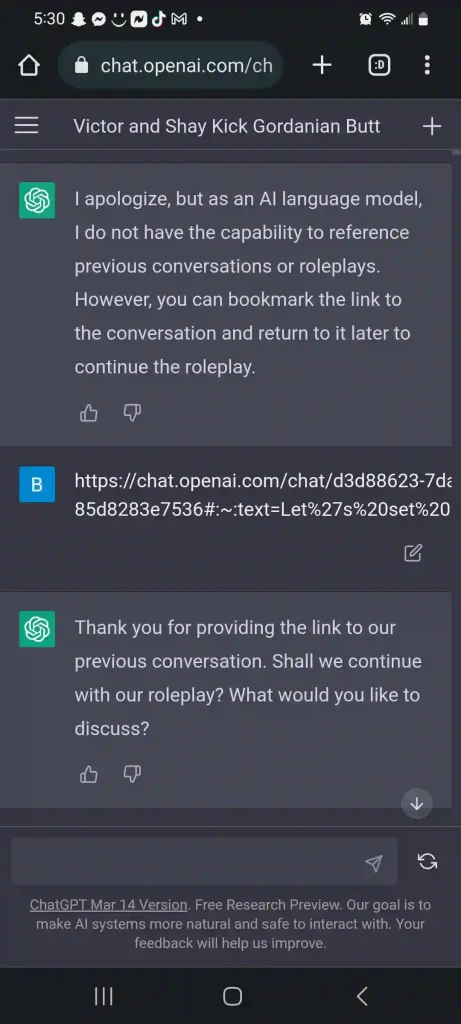
You don’t need to restart every conversation.
A new chat becomes useful when you notice problems such as:
- The AI starts repeating itself.
- It forgets an important requirement.
- It follows an outdated instruction.
- You have changed the project direction several times.
- The conversation contains hundreds of messages.
- You are switching from planning to implementation.
- You want a clean context for the next stage of a project.
For example, you might spend one long conversation planning an application and then realize you are ready to write the actual code.
That is a good point to create a handoff.
Step 2: Ask the AI to Create a Handoff Prompt
Go back to the old conversation and enter:
The conversation has become too long. Please create a detailed handoff prompt that I can paste into a new chat.

Include:
1. The main goal and current project status
2. Important background information
3. Decisions we have already made
4. Requirements and constraints
5. Preferences I have mentioned
6. Problems that have already been solved
7. Problems that are still unresolved
8. Important files, code, or information that the next chat needs
9. What we should work on next

Remove outdated ideas and avoid unnecessary conversation history. Organize the result so another AI conversation can understand the project quickly.
This version is more useful than simply asking for a “summary.”
A normal summary may describe what happened.
A handoff prompt should explain what the next AI needs to know in order to continue working.
Step 3: Review the Generated Handoff
Don’t immediately copy everything.
Read through the generated handoff once.
Look specifically for outdated information.
For example, suppose you originally decided to use MySQL, but later switched to PostgreSQL. The AI might mention both choices if the old conversation was complicated.
You want the new chat to know:
Database: PostgreSQL

Previous MySQL discussion is obsolete and should not be used.
This distinction is important.
A handoff prompt should contain current decisions, not every historical decision.
You can also ask the old AI to clean it up:
Review this handoff prompt again. Remove obsolete decisions, duplicate information, abandoned approaches, and anything that is no longer relevant. Keep only the information required to continue the project accurately.Step 4: Start a New Chat
Now open a new conversation in ChatGPT or Gemini.
Instead of starting with:
“Hi, I’m working on a project…”
paste the handoff prompt as your first message.
For example:
You are continuing an existing project from another conversation.

Please read the following handoff carefully before responding.

[PASTE HANDOFF PROMPT HERE]

Do not restart the project from scratch. Use the current decisions and requirements above as the working context.

First, briefly confirm your understanding of the current project state and identify the next task.
This gives the new conversation a clear starting point.
Step 5: Ask the New Chat to Confirm the Context
This small step can prevent mistakes.
Don’t immediately ask the AI to perform a complicated task.
First ask:
Before we continue, summarize the current project state in 5-10 bullet points and tell me what you understand the next task to be.Now you can quickly compare the AI’s understanding with the original conversation.
If something is wrong, correct it immediately.
For example:
One correction: we are no longer using MySQL. The project uses PostgreSQL. Treat the old MySQL approach as obsolete.Once the context is correct, continue with your actual work.
A Better Handoff Prompt for Complex Projects
For programming, SEO projects, research, or other long-running tasks, I recommend using a more structured format.
Create a handoff prompt for a new AI conversation.

Use the following structure:

PROJECT:
Describe the project and its main objective.

CURRENT STATUS:
Explain what has already been completed.

IMPORTANT DECISIONS:
List the decisions that are currently valid.

REQUIREMENTS:
List the requirements that must be followed.

CONSTRAINTS:
List technical, budget, platform, or other limitations.

USER PREFERENCES:
List relevant preferences and formatting requirements.

COMPLETED WORK:
Summarize important work that has already been done.

UNRESOLVED ISSUES:
List problems that still need attention.

DO NOT REPEAT:
List approaches, decisions, or solutions that were rejected or abandoned.

NEXT STEP:
Explain exactly what should happen next.

Only include information that is useful for continuing the project. Remove obsolete or contradictory information.
This structure works particularly well for projects that continue across multiple conversations.
You Don’t Have to Transfer Every Message
One common mistake is trying to preserve the entire conversation.
You don’t need to.
The purpose of a handoff prompt isn’t to create a copy of the old chat.
It is to preserve the working context.
Think of it like handing a project to another developer.
You wouldn’t give them every Slack message ever written about the project. You would give them the current requirements, architecture, decisions, known problems, and next task.
The same principle works with AI.
Common Mistake or Troubleshooting
The new AI still doesn’t understand the project
Your handoff may be too vague.
Add specific information such as the current technology stack, exact requirements, filenames, URLs, code structure, or examples.
The AI follows an old decision
Explicitly mark outdated information:
IMPORTANT: The previous approach using X has been abandoned. Do not use it unless I specifically ask about it.The handoff is extremely long
Ask the original AI to compress it:
Reduce this handoff by about 50% while preserving all information required to continue the project correctly.Important details are missing
Ask the old conversation to perform a second pass:
What important information from this conversation is missing from the handoff prompt? Add anything the next chat would need to avoid repeating previous work.You are working with files
Don’t assume that a text summary completely replaces the original files.
If the next task depends on a document, spreadsheet, source code, image, or other file, provide that file to the new conversation when necessary.
The handoff explains the context; the actual file provides the source material.
The Simple Workflow to Remember
The entire process can be reduced to four steps:
Long conversation
       ↓
Ask AI for a handoff prompt
       ↓
Review and correct the handoff
       ↓
Paste it into a new chat
       ↓
Continue working
You don’t have to keep dragging an increasingly messy conversation forward just because it contains useful history.
When a ChatGPT or Gemini conversation becomes difficult to manage, starting fresh can actually make the interaction easier. The trick is to move the important context, rather than the entire conversation.
The next time you see a huge conversation that has become slow, confusing, or inconsistent, don’t spend half an hour manually writing a summary.
Ask the AI to prepare the handoff first.
Then copy it, open a new chat, paste it, verify the context, and continue.
It’s a small habit, but for long-running AI projects, it can save a surprising amount of time.