Python is often recommended as a beginner-friendly programming language, but writing your first working program is not always straightforward. A small indentation mistake, an incorrect variable name, or a missing module can stop a script from running.
These problems are common even when the code looks correct. During development, programmers often spend more time finding and fixing small errors than writing new features.
ChatGPT can help with this process. You can describe what you want to build, ask it to generate Python code, paste error messages for troubleshooting, and request improvements to existing scripts. However, you still need to test the results because AI-generated code can contain mistakes.
This guide explains how beginners can use ChatGPT as a practical Python coding assistant.
1. Prepare Your Python Environment
Before asking ChatGPT to write code, make sure Python is installed on your computer.
Step 1: Check your Python installation
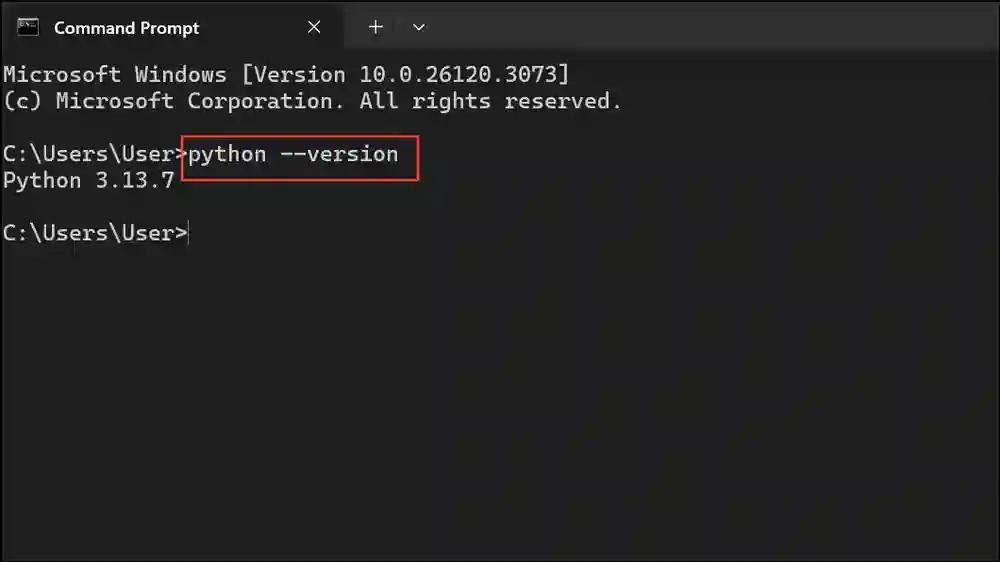
On Windows, open Command Prompt or Windows Terminal and run:
python --versionIf that command does not work, try:
py --versionYou should see an installed Python version, such as Python 3.12.x.
If Python is missing, download it from the official Python website. During installation, select the option to add Python to PATH.
Step 2: Open a code editor
You can use Notepad, but a code editor makes Python development easier. Visual Studio Code is a good free option.
After installing VS Code:
- Open VS Code.
- Select Extensions from the sidebar.
- Search for Python.
- Install the extension published by Microsoft.
- Create a folder for your Python project.
You can now write code, run scripts, and inspect errors in one place.
2. Use ChatGPT to Generate Python Code
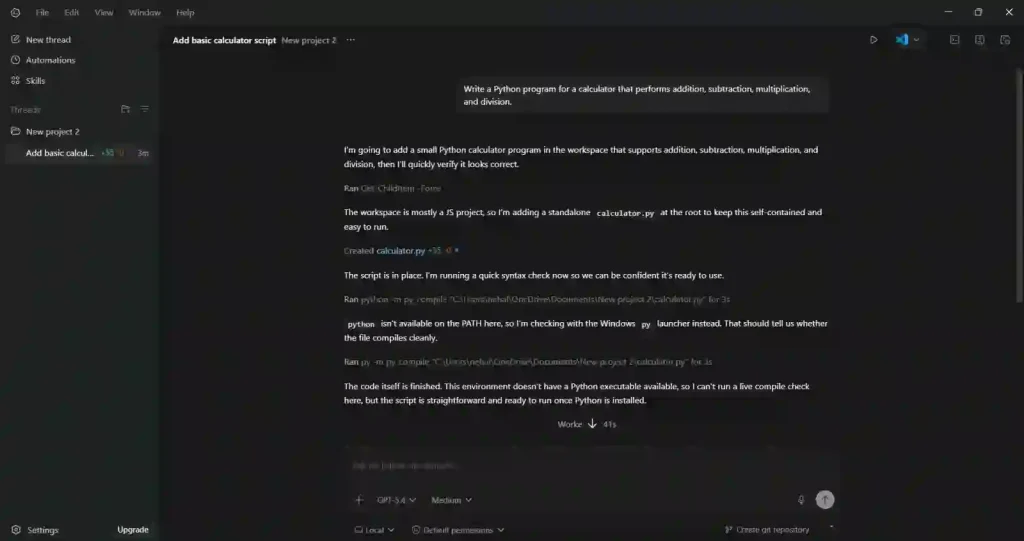
One of the easiest ways to start using ChatGPT is to describe a small program you want to create.
Avoid vague requests such as “Write some Python code.” Instead, explain the program’s purpose, expected input, required output, and any features you need.
Step 1: Describe a specific task
For example, suppose you want to create a simple calculator that adds, subtracts, multiplies, and divides two numbers.
Use this prompt:
Act as a Python programming tutor.

Write a beginner-friendly Python calculator that:
1. Asks the user to enter two numbers.
2. Supports addition, subtraction, multiplication, and division.
3. Allows the user to select an operation.
4. Handles division by zero.
5. Displays the calculation result.

Use simple Python syntax and explain each important part of the code.
ChatGPT should generate a complete script and explain how it works.
Step 2: Copy and run the code
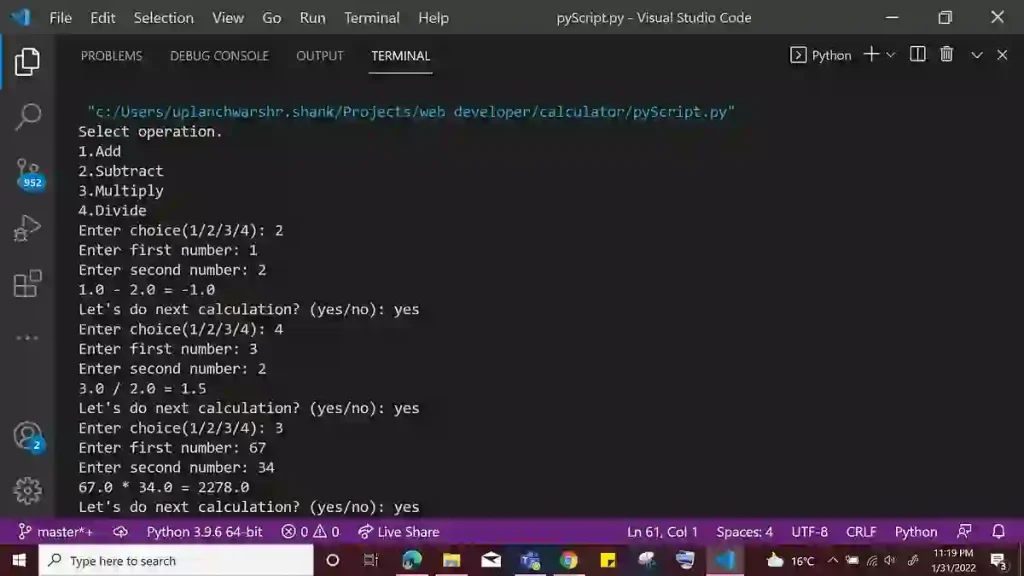
Create a file named calculator.py in VS Code. Paste the generated code into the file and save it.
Open the integrated terminal through Terminal > New Terminal and run:
python calculator.pyFollow the prompts and test different operations.
If the program works, try unusual inputs, such as dividing by zero or entering text instead of a number. These tests help you find problems that a normal example might not reveal.
3. Use ChatGPT to Debug Python Errors
Debugging is another area where ChatGPT can be useful. Instead of trying random changes, provide the exact error message and the relevant code.
Step 1: Find the error message
Suppose your script contains this code:
name = input("Enter your name: ")
print("Hello, " + user_name)
When you run it, Python displays:
NameError: name 'user_name' is not definedThe problem is that the variable was created as name, but the print statement refers to user_name.
Step 2: Ask ChatGPT to explain the problem
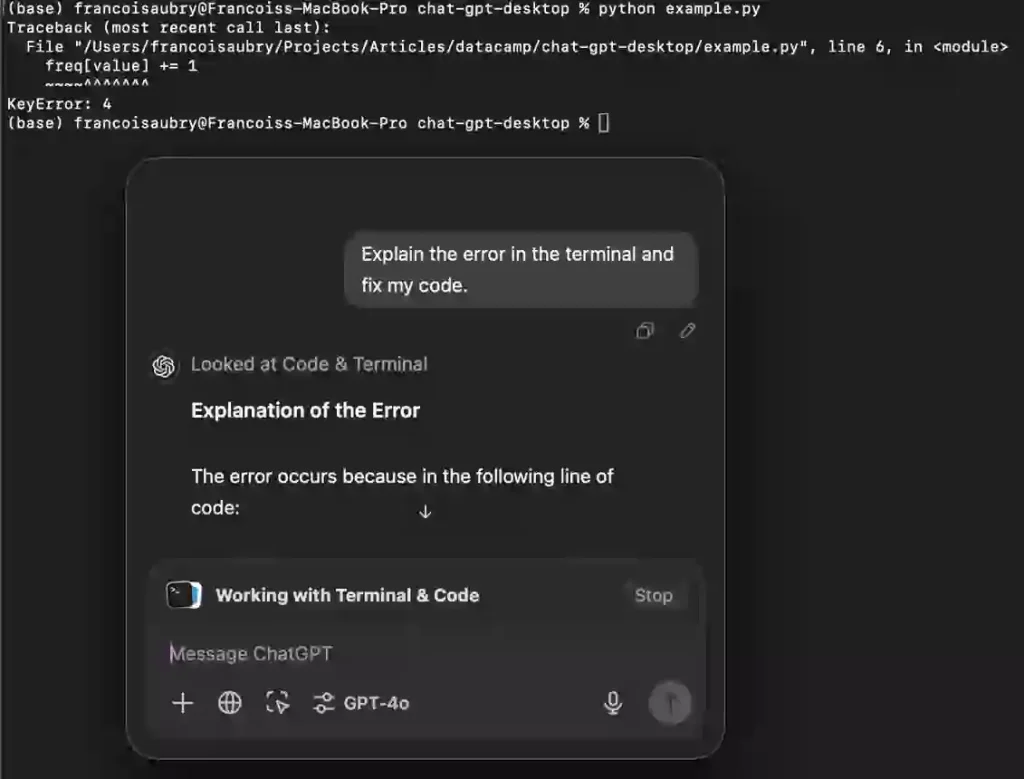
Copy the error message and relevant code into ChatGPT:
I am a Python beginner.

Here is my code:

name = input("Enter your name: ")
print("Hello, " + user_name)

I received this error:

NameError: name 'user_name' is not defined

Explain why this error happens and show me the smallest possible correction.
ChatGPT should identify the inconsistent variable names and suggest:
name = input("Enter your name: ")
print("Hello, " + name)
Step 3: Test the correction
Replace the original code and run the script again.
Do not assume an explanation is correct just because it sounds reasonable. Test the suggested fix and check whether the program behaves as expected.
For larger projects, include the function containing the error and explain what you expected the program to do. Avoid pasting passwords, API keys, private customer data, or other sensitive information.
4. Ask ChatGPT to Explain Existing Python Code
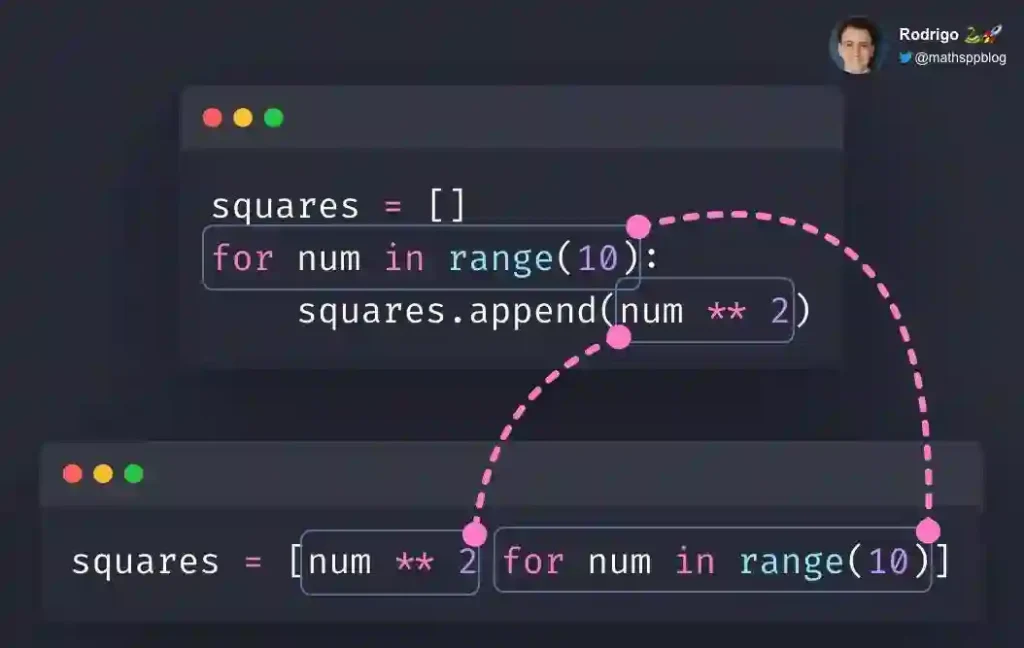
You do not always need ChatGPT to write new code. It can also help you understand scripts written by someone else or code you found in a tutorial.
For example, you might encounter:
numbers = [2, 4, 6, 8, 10]

squared = [n ** 2 for n in numbers]

print(squared)
If you do not understand the expression, ask:
Explain this Python code line by line.

Focus on:
1. What a list comprehension is.
2. What n ** 2 means.
3. How the new list is created.
4. Show an equivalent version using a normal for loop.

Explain it for someone who has just started learning Python.
This approach is useful because it teaches the underlying programming concepts instead of simply giving you another finished script.
You can also ask ChatGPT to create a smaller example or provide a short exercise so you can practice the concept yourself.
5. Use ChatGPT to Optimize Existing Python Code
Once your script works, you may want to make it easier to read, maintain, or run.
ChatGPT can review code and suggest improvements, but optimization should start with a clear goal.
For example, a script might contain repeated calculations, unclear variable names, or unnecessary loops.
Step 1: Provide the original code
Ask ChatGPT to review a specific section:
Review the following Python code.

Please:
1. Identify repeated or unnecessary operations.
2. Suggest improvements to readability.
3. Check for potential bugs.
4. Keep the code beginner-friendly.
5. Explain every important change.

Do not change the program's existing behavior.
Step 2: Request an improved version
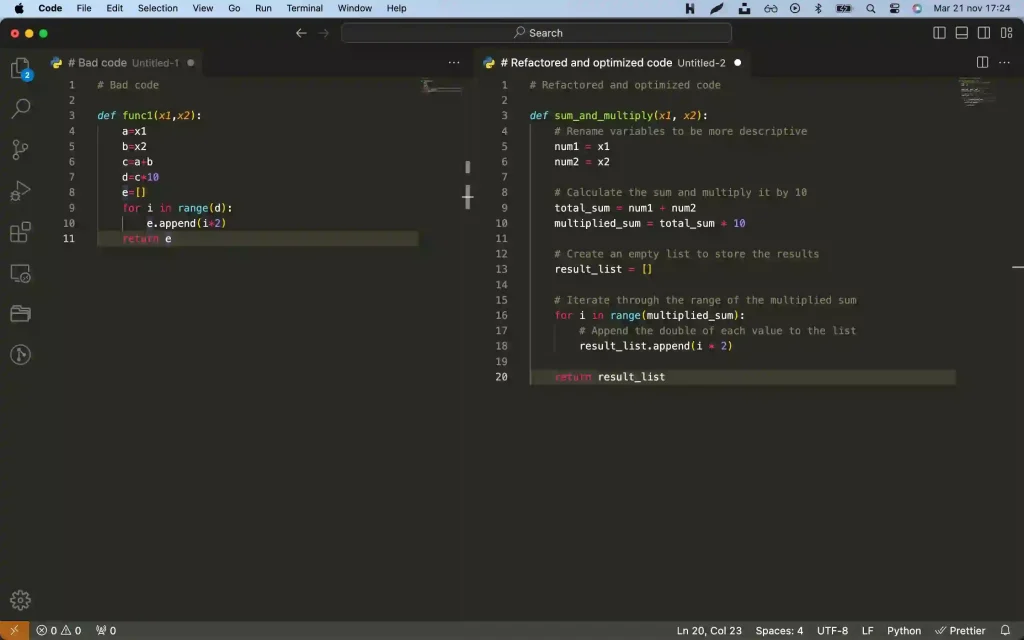
ChatGPT may suggest clearer variable names, smaller functions, or more appropriate Python features.
For example, it might replace repeated code with a reusable function:
def calculate_square(number):
    return number ** 2

numbers = [2, 4, 6, 8, 10]

squared = [calculate_square(n) for n in numbers]

print(squared)
This version separates the calculation into a function that can be reused elsewhere.
Step 3: Compare performance
For performance-related changes, ask ChatGPT to explain the expected benefit and provide a simple benchmark.
You can measure execution time with Python’s time module:
import time

start = time.perf_counter()

# Put your code here

end = time.perf_counter()

print(f"Execution time: {end - start:.6f} seconds")
Run the original and improved versions with the same input. A shorter script is not automatically faster, and a faster version is not necessarily easier to maintain.
6. Get Better Results with More Specific Prompts
The quality of ChatGPT’s suggestions depends heavily on the information you provide.
For more useful coding assistance, include:
- Your experience level: Beginner, intermediate, or advanced.
- Your environment: Python version, operating system, and editor.
- Your goal: What the program should accomplish.
- The problem: Exact error message and relevant code.
- Your restrictions: For example, use only Python’s standard library.
You can also ask ChatGPT to work in stages rather than generating an entire application at once.
For example:
Help me build a Python application step by step.

First, explain the project structure.
Then write one function at a time.
After each function, explain how I can test it.
Do not move to the next step until I understand the current one.
This makes it easier to understand the code and catch mistakes early.
7. Common Mistakes and Troubleshooting
Copying code without testing it: AI-generated code may contain incorrect assumptions or missing dependencies. Run every script and test different inputs.
Providing incomplete error messages: A single error line may not reveal the actual cause. Include the full traceback and the relevant section of your code.
Asking overly broad questions: Requests such as “Fix my Python program” provide too little information. Explain the expected behavior and what happens instead.
Accepting unnecessary complexity: ChatGPT may introduce advanced libraries or complicated structures for a simple task. Ask for a standard-library solution when possible.
Ignoring security risks: Never run unfamiliar code blindly. Review file operations, network requests, shell commands, and code that handles credentials before executing it.
Changing too much at once: When debugging, make one change at a time. This helps identify which modification actually solved the problem.
Final Thoughts
ChatGPT can make Python programming more approachable by helping beginners generate examples, understand unfamiliar syntax, troubleshoot errors, and improve existing scripts.
The most effective approach is to treat it as a coding assistant rather than a replacement for learning Python. Describe your requirements clearly, review the generated code, and test every important change.
As you gain experience, you will become better at identifying incorrect suggestions and using ChatGPT to solve more complex programming problems.